

Executive Summary
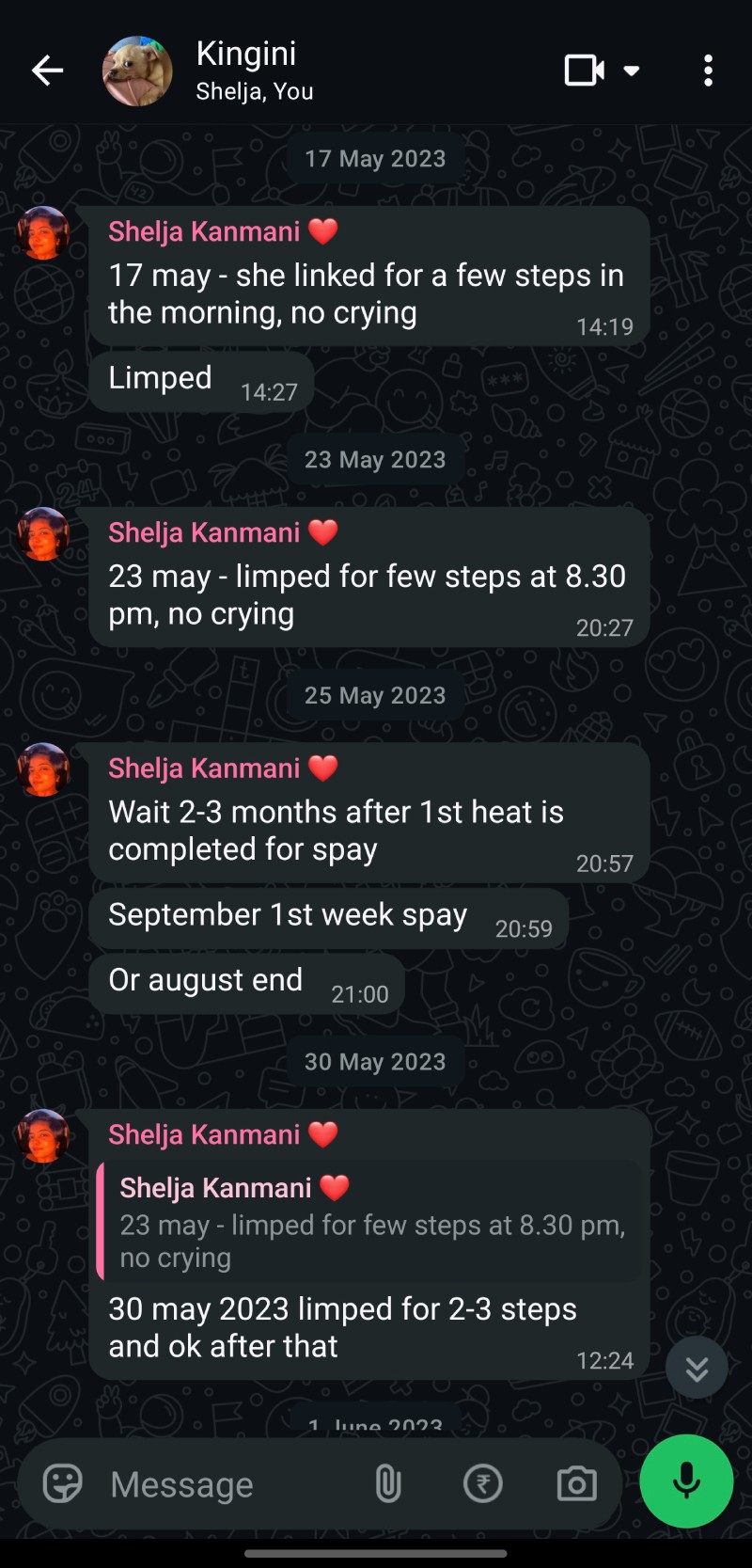
Over the past three years, my wife and I have been managing a chronic, hard-to-diagnose neurological condition in one of our two chihuahuas, Kingini. What began as informal tracking in WhatsApp groups and Google Calendar turned into hundreds of hours of manual data collation in Excel – timelines of symptoms, medication titrations, imaging and blood test results, vet visits, and seizure events – done in partnership with a veterinary neurologist in India and a Cambridge companion animal epilepsy study group to find patterns and manage her care.
That process exposed a real, unsolved gap: there is no tool built for pet parents to log health data longitudinally, make sense of it over time, and act on it – especially for chronic conditions. [App Name] is my response to that gap: an Android-first app (Flutter + Firebase, built using Google Antigravity) currently in alpha with a small community of pet parents. This case study documents the problem, the process, the information architecture and design decisions, the build, and where it\’s headed.
Background
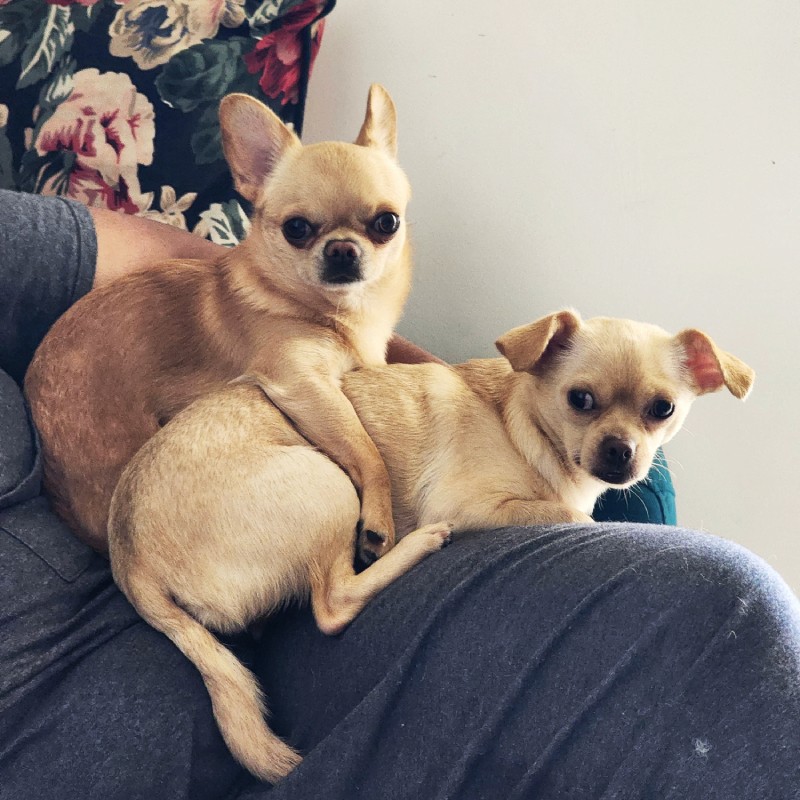
My wife and I brought home two chihuahuas, Kunji (4.5 years) and Kingini (3.5 years). From day one, we tracked their life events in a dedicated WhatsApp group and used Google Calendar for recurring health reminders – vaccinations, checkups, grooming, deworming etc.
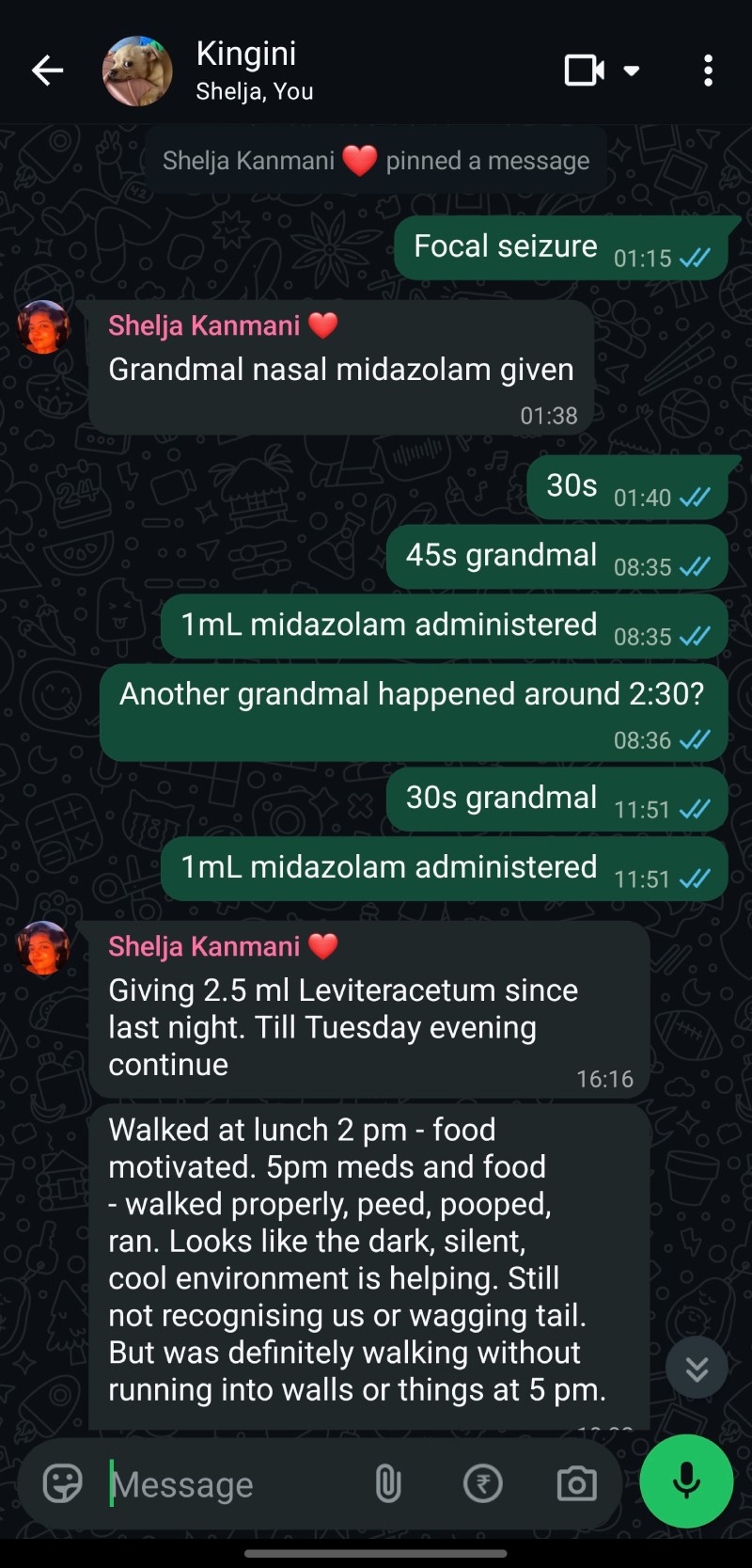
In June 2023, Kingini had an acute episode that led to an urgent vet visit. In November 2023, she had her first seizure. Since then, managing her condition has required continuous, careful observation – tracking seizure frequency, medication response, and subtle behavioural changes – without ever reaching a complete diagnosis. Our own manual analysis, cross-referenced with vet reports and built in collaboration with a veterinary neurologist, has been central to keeping her stable.
That lived experience – the value of the data, and the pain of assembling it by hand across three disconnected tools – is the direct origin of this project.

Problem Statement
Pet parents managing ongoing or chronic health conditions currently rely on a patchwork of tools, none of which were built for the job:
WhatsApp / notes apps
Good for quick logging, impossible to analyse or search by symptom or date range.
Google Calendar
Good for reminders, no place for observations, symptoms, or documents.
Spreadsheets
Powerful for pattern-finding, but require manual setup and real analytical effort most pet parents won\’t have time for.
Paper vet records / PDFs
Scattered, rarely cross-referenced with day-to-day symptoms at home.
The result: pet parents with complex or chronic cases either give up on finding patterns or spend enormous unpaid effort (as we did) rebuilding a health record from scratch. No consumer tool lets you log health data easily and then ask questions of it the way you\’d want to for a condition you\’re actively managing.
Research & Insight Gathering
The primary research base for this project is unusually deep: three years of real, first-party data.
WhatsApp health log
Multi-year log of health events, symptoms, and daily observations for both dogs.
Excel pattern analysis
Excel-based timeline analysis cross-referencing symptoms, medication changes, and seizure frequency.
Vet & neurology reports
Bloodwork, imaging, diagnostic notes collected over multiple visits.
Veterinary neurologist input
Ongoing input from a veterinary neurologist validating patterns identified independently.
To check that this wasn\’t a problem unique to us, I opened an early, invite-only alpha to a small community of other pet parents, several of whom are also managing chronic or complex conditions in their pets.



The Solution: KuKi
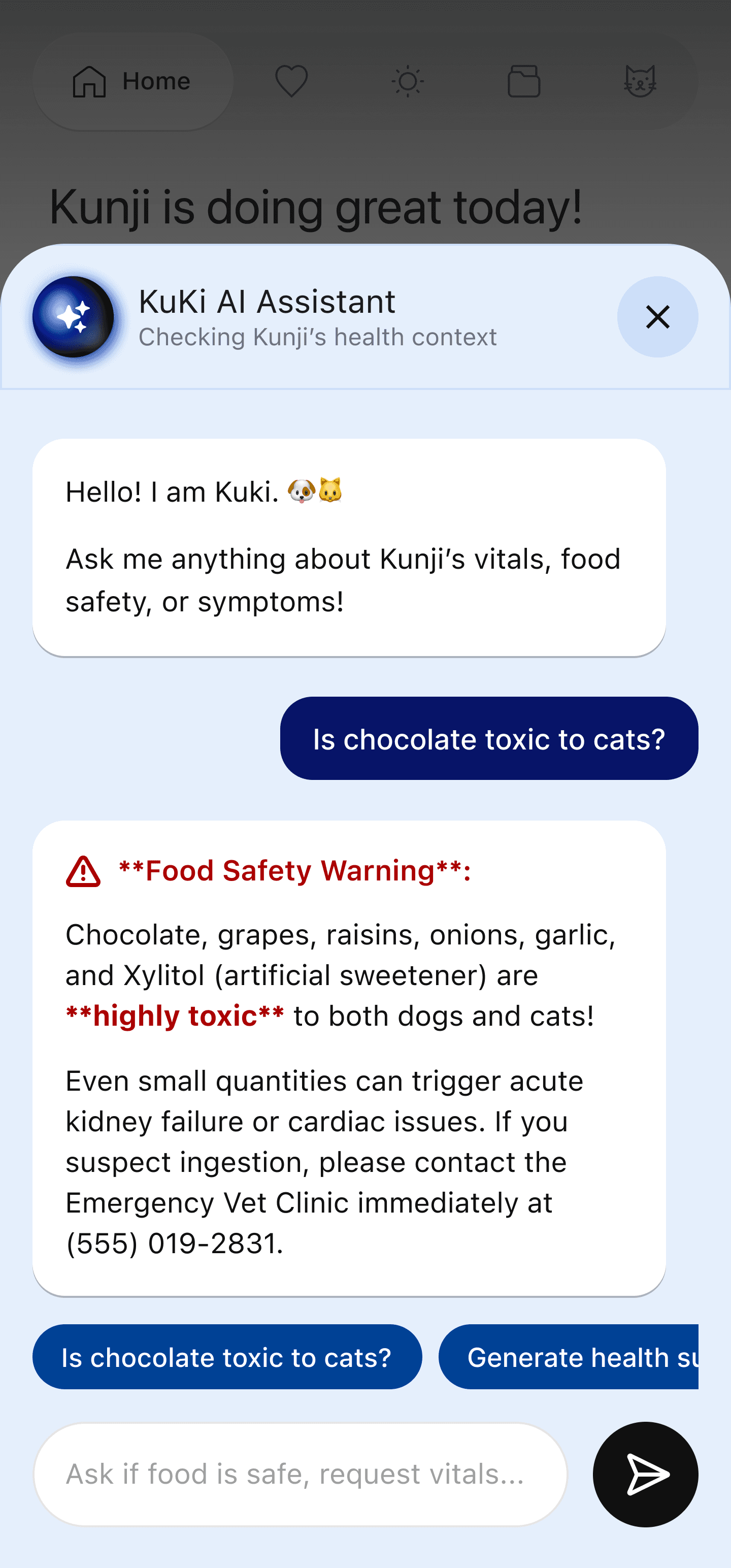
KuKi is a mobile-first health companion for dogs and cats that unifies event logging, reminders, document storage, and longitudinal analysis in one place – designed specifically to support chronic-condition management, not just routine care. The interface adapts per pet: a pet like Kingini, tracked for a chronic condition, sees a different Home screen than Kunji, tracked for general wellbeing – without requiring separate app versions.


Information Architecture
Five persistent, swipeable top-level sections, replacing an earlier four-tab layout. ‘Logs’ was split into Health and Daily, since symptoms/vet history and day-to-day routine are different mental categories for a pet parent.
Home
Wellness Score or Symptom-Free Streak, Today\’s Meds, illness-specific tools, quick-status cards.
Fully adaptive
Health
Symptoms/events, vet visits, prescriptions, vaccinations, admissions, medications.
Diagnostic history
Daily
Activity, eating/drinking, sleep, potty.
Routine tracking
Vault
Vet reports, bloodwork, imaging, documents – horizontal cards by category.
Bulk import supported
Profile
Active pet\’s full profile, Medical Summary, Care Team, sharing, Account Settings, Log Out.
Pet-centric, not user-centric

Design Decision: Profile Shows the Pet, Not the User
Five persistent, swipeable top-level sections, replacing an earlier four-tab layout. ‘Logs’ was split into Health and Daily, since symptoms/vet history and day-to-day routine are different mental categories for a pet parent.
Frequency mismatch – pet data is checked constantly; account settings are touched rarely.
Consistency of mental model – every other tab is scoped to the currently selected pet.
Solves multi-caregiver sharing for free – a pet-scoped Profile renders identically for every linked caregiver.
Matches the product\’s real differentiator – deep longitudinal pet data is the value; account plumbing is not.
Precedent (Jakob\’s Law) – pet and parenting apps put the dependent front and center and tuck account settings one level deeper.
Onboarding Flow
1
Sign in
Google Sign-In only – no password, no phone/OTP. Pre-fills name and photo; user can edit name.
2
Add a pet
Species (dog/cat), searchable breed list incl. mixed breeds, name, photo (camera or gallery), gender, age, colour, coat, weight – via lists, MCQs, sliders.
3
Set care goals
General wellness, weight management, activity, nutrition, or managing a chronic illness – multi-select, one primary. Weight management additionally asks for a target weight and optional target activity time.
4
Choose condition(s)
Only if chronic illness selected – seizures/epilepsy, kidney disease, diabetes, heart disease, arthritis, allergies/skin, cancer, other.
5
Set symptom watchlist
Optional, multi-select, offered to every pet regardless of step 3: stiffness/limping, water intake, appetite, urination frequency, poop/diarrhea, itchy skin, coughing, rapid breathing.
6
Home adapts
Module library reorders based on goals, conditions, and watchlist.
7
Log & ask AI
Daily logging + AI chatbot; usage patterns further refine Home over time (loop back to step 6).
Care Focus Taxonomy
Split into two independent layers so goals and symptom-monitoring don\’t get conflated in one flat list:
Screen A
Goals — pick one primary
General wellness
Weight management
Activity & fitness
Nutrition
Managing a chronic illness →
Screen B
Watchlist — optional, any pet
Stiffness / limping
Water intake
Appetite / hunger changes
Urination frequency
Poop consistency / diarrhea
Itchy skin / biting-licking paws
Coughing
Rapid breathing / panting
Screen C
Chronic conditions — if selected
Seizures / epilepsy
Kidney disease
Diabetes
Heart disease
Arthritis / joint issues
Allergies / skin condition
Cancer
Other (free-text)
Illness-Specific Tools
Seizures / epilepsy
Seizure Tracker
One-tap start/stop timer; logs date, duration, notes; optional video.
Kidney disease / Diabetes
Hydration & Urination Tracker
Water intake (ml/day) and urination frequency, trend graph.
Heart disease
Resting Respiratory Rate Counter
Guided breath count (15s → breaths/min), plus cough frequency.
Arthritis / joint issues
Mobility & Stiffness Tracker
Limping/stiffness episodes, 1–5 scale, which limb, time of day.
Allergies / skin condition
Skin & Itch Tracker
Scratching/biting/licking frequency, affected area, optional photo.
Cancer / Other
Condition Notes
Free-form timeline; heavier emphasis on Medication and Vet Visit cards.

Home Module System
Home is a library of independent modules, not one fixed layout. Order per pet:
1
Hero — Wellness Score (non-chronic primary goal) or Symptom-Free Streak (chronic illness primary goal)
2
Today\’s Meds — if the pet has any active medication
3
Illness-specific tool card(s) — if a chronic condition is declared
4
Quick Status Overview — Weight, Next Vaccine, Activity, Nutrition (always present)
5
Quick Log row — one chip per watchlist symptom not yet promoted to a full tracker
6
Secondary modules for any other declared goals, ordered by usage over the trailing 14 days
7
Recent Vet Visit / Upcoming Appointment
Worked examples
Kingini
Primary: chronic illness — seizures
Symptom-Free Streak · Today\’s Meds · Seizure Tracker · Quick Status · Recent Vet Visit
Kunji
Primary: general wellness, watchlist: appetite
Wellness Score · Quick Status · Quick Log chip for appetite · Activity Ring · Sleep
Per-pet config
{ goals: […], primary_goal, conditions: […], watchlist: […], module_order: […] }
Stored per pet as a config object, so one shared component library serves every pet without per-pet conditional UI code.
Adaptive promotion rule
A watchlist symptom starts as a one-tap quick-log chip – no dashboard. If a household logs it 3+ times within a trailing 14-day window, it\’s automatically promoted to a full tracker card with its own trend graph. This lets any pet\’s parent flag a light concern without formally reclassifying the pet as chronically ill, while still surfacing a real pattern the moment it becomes one – this is also the answer to handling symptoms (vomiting, diarrhea, crying, reverse sneezing) that matter for both chronic and generally healthy pets: everyone can log them; only frequency or a declared condition earns them a dedicated card.
Medication Tracking
Each medication stores: name, dosage + unit, frequency (preset once/twice/thrice-daily or custom times), linked condition (optional), start date, end date or \’ongoing\’ toggle, and a reminder on/off switch.
Add a medication from the Health tab, or via a smart suggestion right after uploading a prescription to the Vault.
Home shows a \’Today\’s Meds\’ card whenever ≥1 active medication exists – a checklist with a tick per dose, overdue doses visually flagged.
Reminders fire as push notifications at scheduled times and deep-link back to the checklist.
Wellness Score Logic
Baseline period: first 10–14 days show \’Establishing baseline\’ – always personal, never a generic breed average.
Composite (7-day rolling): activity vs. personal baseline, sleep regularity, appetite/hydration, elimination normalcy, symptom-free streak, medication adherence.
Deductions decay rather than reset, so the score tells a recovery story, not just a bad-day snapshot.
Always paired with a plain-language reason, especially when the score drops.
Chronic-illness alternative
Pets with chronic illness as primary goal get a \’Symptom-Free Streak\’ plus trend view instead of a single fluctuating score, since a dropping number can feel alarming rather than informative to a parent already managing a difficult condition.
Score color must stay theme-neutral
The score-to-color gradient (red → amber → green) is implemented as fixed design tokens, independent of the device\’s light/dark mode or any time-of-day theming – only surrounding card chrome adapts, never the gradient itself. Color is always paired with a number and text label so meaning never depends on color perception alone.
Tracking Graphs by Pet Type
Universal
Every pet
Weight trend, always.
Watchlist
Any pet, once promoted
Frequency sparkline for whichever symptom crossed the 3-in-14-days threshold.
Chronic
Condition-specific
Seizure frequency/duration, water intake & urination, respiratory rate, mobility/stiffness score, itch-episode frequency.
Ad hoc
Any pet, any time
Vomiting, diarrhea, crying/vocalization, reverse sneezing – loggable by anyone via the Health tab; dedicated graph only if tied to a declared condition or usage-promoted.
Profile Page Structure
Pet header
Photo, name, breed, age, gender - set at onboarding, editable here
Quick stats
Weight from latest log; goals from onboarding
Medical Summary
Condition(s), medications, vet, next appointment — see provenance below
Trend snapshots
Weight + one goal-relevant trend, aggregated from logged entries
Care Team
Vet name, clinic, phone, email - entered once here, editable anytime
Care Focus & Watchlist settings
Editable version of onboarding screens A/B/C
Documents shortcut
Links to Vault filtered to this pet
Shared with co-caregivers
From Account Settings invite flow
Account Settings (entry point)
—
Log Out
—
Medical Summary — data provenance
Condition(s)
Onboarding screens A/C; editable in Care Focus & Watchlist settings
Medications
Live from the Medication module – added via Health tab or prescription-upload suggestion
Vet name / clinic
Entered once in Profile > Care Team, editable anytime
Next appointment
Auto-filled from a ‘next follow-up’ field on a vet-visit log, or added manually
Weight
Logged via Daily tab or Home quick-log; graphed automatically
Watchlist symptoms
Onboarding screen B; editable later; logged via Health tab or Home quick-log chips
Account Settings & Sharing
Shows the signed-in person\’s name and Google email, with editable display name/photo.
\’Invite a co-caregiver\’ generates a shareable link/code tied to specific pet(s); accepting links the invitee\’s Google account to the same pet records so both caregivers see identical data.
Also houses notification preferences and data/privacy or export options.
Reached only via the entry point at the bottom of Profile – never its own top-level tab.
File Vault
Cards are horizontal rows: a file-type icon (PDF, image, doc) on the left, document name, a category pill, and the date.
Categories: Prescription, Lab Report, Vaccine Certificate, Registration/Pedigree (e.g. a KCI certificate), Bill/Invoice, Other.
Bulk import for historical records: multi-file picker, then a lightweight batch-tagging step (category + date per file, defaulting to the file\’s own metadata date where available) rather than a full form per document.

Empty States
Home, no pet yet
“Add your first pet to get started”
Blocking — cannot be skipped
Vault, empty
“No documents yet – upload vet reports, prescriptions, or import past records.”
Daily tab, empty
“No activity logged yet – log a walk, meal, or nap to get started.”
Home, pet added, zero logs
“Let\’s start {pet}\’s health record – log today\’s weight or a quick activity”
+ 1-tap quick actions
Health tab, empty
“No health events yet – tap + to log a symptom, medication, or vet visit.”
Design Principles Applied
Principle
Frequency-based hierarchy
Profile = pet, not user; Account nested one level deeper
Jakob\’s Law
Avatar → profile → settings pattern mirrors common consumer apps
Progressive disclosure
Care-focus-based module ordering shows only what\’s relevant per pet
Progressive commitment
Watchlist chips graduate to full trackers only once usage shows they matter
Personal baseline
Wellness Score baselines against the pet\’s own history, not breed averages
Feedback & transparency
Score always paired with a plain-language reason
Avoiding single-number anxiety
Chronic-illness pets get a Symptom-Free Streak instead of one fluctuating score
Theme-independent color
Score gradient uses fixed tokens, unaffected by light/dark or time-of-day
Household / shared use
Profile renders identically for every linked caregiver, since it\’s pet-scoped
Technology Stack
App framework
Flutter (Android first; iOS planned post-launch)
Backend / Infra
Firebase – Auth (Google Sign-In), Firestore, Storage
Dev environment
Google Antigravity, using the Firebase MCP to scaffold backend setup
Original research tools
WhatsApp (event logs), Excel (pattern analysis)
Design
Figma, Figjam, Jitter
Design & Development Approach
This is a solo-built, \’vibe-coded\’ project – built rapidly and iteratively with AI-assisted development rather than a traditional multi-person engineering team, while applying UX design rigor from professional practice (information architecture, content strategy for sensitive health data, interface design, and interaction psychology).
Built end-to-end using Google Antigravity as the primary development environment, with the Firebase MCP handling backend scaffolding.
Android-first, based on the primary device usage of the alpha testing community; iOS planned for a later phase.
Iterative build-test-refine loop directly against real usage from personal data and alpha testers.
Alpha Testing
The app is currently in alpha with a small, invite-only group of pet parents, several of whom manage chronic conditions similar to Kingini\’s.
More details coming soon!
Early Learnings & Challenges
Designing for sensitive health data required careful tone – the app needed to feel supportive, not clinical or alarming.
Balancing depth (chronic-condition analytics) with simplicity for pet parents who just want a quick daily log.
Reworking a single flat \’care focus\’ list into separate goals/watchlist/condition layers once it became clear they served different UX needs.
Rethinking the single wellness score after realizing it could increase anxiety for chronic-illness caregivers rather than help them.
Roadmap
Expand alpha group and incorporate feedback
iOS release following Android launch
AI-assisted insight/pattern detection, visual search for the AI assistant
Two way sharing of data between vet and pet parent
Patient Management System for vets to be explored or integrate with existing PMS
Web App Playground
You can click on the View as Guest button to explore the app without logging in or creating an account